Let's get started with InterAcct's Basics.
These videos go through the very basics of getting started with InterAcct. These are our most popular videos watched for new users.
Topics covered
- ✓ Logging in
- ✓ Navigation
- ✓ Searching Data
- ✓ Add/Change & Delete
- ✓ User Setup
- ✓ User Security
- ✓ Data Importing
- ✓ Custom Menus
- ✓ System Design
Essential Videos
These are the very essential videos for all new users.
Getting Started
This Training Demonstration is a guide to what the first 10 minutes of Onsite training normally covers. The pace of the training will be determined by the Trainee as they will be the one operating the software and can pause to write notes or ask que…
Learn more →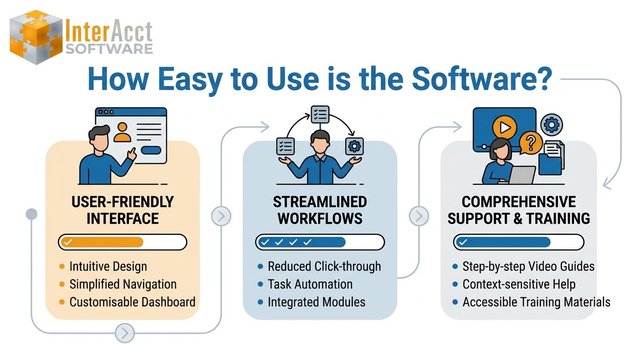
Software Help
How easy is the InterAcct Software Application? Why will it take me multiple days to learn the software? Is there any help in this process? Well the answer is Yes there is help with videos, manuals, and on screen help text. But there is alot to take in. W
Learn more →Administrator Videos
These videos are more for the System Administrator for the company, and look more at the security, design and custom menus.
User Security
A review of the InterAcct Software user security settings and user setup.
Learn more →
Data Import
Demonstration of the Data Import Function
Learn more →
Custom Menus
This is a change to the Standard System to remove menu links that are not needed in your version of the software.
Learn more →
System Design
InterAcct software standard
Learn more →